The Case of the Exhausted Phone
Greetings everyone! Hope you guys are doing much better than I am. A fried hard drive and more than a dozen phone formats/hard resets later, I'm back! See, a few weeks ago, one of my PC's 120GB SATA hard disks started acting funny when a bunch of bad sectors surfaced out of nowhere.
I tried fixing them with a program called Spinrite, but all was invain and within no time, the drive completely disappeared from Windows! The worst part is that quite a lot of data got corrupted in the process. Sad stuff...especially when you couple that with my recent cellphone woes!
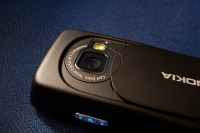
Which brings me to an important issue. Some days ago, my cellphone (an N73 Music Edition) started to (literally) 'die out' under normal usage. For instance, whenever I slid open the camera lens cover to take an occasional snap or two, the phone would automatically switch off as if all the juice had been sucked out of its battery. This would also happen during phone calls, texting etc.
A quick google search revealed that this problem was equally common with other Nokia phones, such as the N93i. The proposed solution? Take the phone to your nearest Care Center (Bah!)
Since I'd been testing new apps regularly, I naturally thought there was a software glitch with one of the apps. Piece by piece, every app installed to phone memory was removed and the phone formatted not once, but multiple times. However, the problem was never fixed. I even suspected this to be one of the shortcomings of the N73's latest firmware update. Luckily, common sense prevailed and I discovered an outrageously simple way of fixing the issue.
The solution: After powering off your phone, remove the battery along with the sim card and set them aside for about half an hour. During this time, clean the battery terminals (i.e the 3 'golden rectangles' that you see on top of the battery) using rubbing alcohol -- or even some leftover cologne will do. Also, be sure to clean the battery terminals present on the phone body as well as the camera activation terminals present on the phone's back cover (i.e. the 2 golden bits that you see on the inside of the back cover). Once our makeshift cleaning liquid's evaporated, simply plug everything back and you're good to go!
I still haven't figured out the reason behind this strange behaviour (rusty terminals?), but hey, I'm not complaining! :)
Continue reading this story »
I tried fixing them with a program called Spinrite, but all was invain and within no time, the drive completely disappeared from Windows! The worst part is that quite a lot of data got corrupted in the process. Sad stuff...especially when you couple that with my recent cellphone woes!
Which brings me to an important issue. Some days ago, my cellphone (an N73 Music Edition) started to (literally) 'die out' under normal usage. For instance, whenever I slid open the camera lens cover to take an occasional snap or two, the phone would automatically switch off as if all the juice had been sucked out of its battery. This would also happen during phone calls, texting etc.
A quick google search revealed that this problem was equally common with other Nokia phones, such as the N93i. The proposed solution? Take the phone to your nearest Care Center (Bah!)
Since I'd been testing new apps regularly, I naturally thought there was a software glitch with one of the apps. Piece by piece, every app installed to phone memory was removed and the phone formatted not once, but multiple times. However, the problem was never fixed. I even suspected this to be one of the shortcomings of the N73's latest firmware update. Luckily, common sense prevailed and I discovered an outrageously simple way of fixing the issue.
The solution: After powering off your phone, remove the battery along with the sim card and set them aside for about half an hour. During this time, clean the battery terminals (i.e the 3 'golden rectangles' that you see on top of the battery) using rubbing alcohol -- or even some leftover cologne will do. Also, be sure to clean the battery terminals present on the phone body as well as the camera activation terminals present on the phone's back cover (i.e. the 2 golden bits that you see on the inside of the back cover). Once our makeshift cleaning liquid's evaporated, simply plug everything back and you're good to go!
I still haven't figured out the reason behind this strange behaviour (rusty terminals?), but hey, I'm not complaining! :)