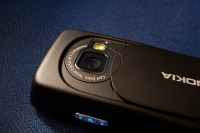
Time-Lapse Photography on the N73!

Processes that would normally appear subtle to the human eye -- such as the motion of clouds in the sky, the opening of flowers or the growing of plants, people commuting, everyday traffic in the city or even an ice cube melting -- become very pronounced.
Although time-lapse cinematographers use sophisticated (and often expensive) equipment, S60 users can now do the same at no added cost! Infact, all that you need is a simple Python script for your phone, and ofcourse, some sort of a mounting system if you're going to capture moving pictures at any rate slower than the standard 24 frames per second.
Credit goes to Anteater @ the Foozia Blog for developing a Python script for the N80 -- although it is incompatible with the N73. Hence, I decided to play with it a bit and voila! Click here to download! Before running, create a new folder called 'timelapse' in e:\Python
Once you set this up and run the script, it'll ask for a project name, followed by the number of images that should be taken along with the time delay. Other parameters include image size (0.3MPix to 1.3MPix), flash mode, exposure mode and white balance. When its done snapping, you'll get a prompt on the screen. You can later use QuickTime or a GIF Editor to make your own movies. Enjoy!
P.S You need to have Python installed on your phone first. In case you're not familiar with that, follow the steps below:
UPDATE: This script also works with the E90.