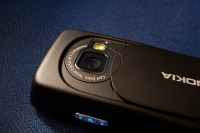
Update: The All-In-One Torch!
The latest version of the AiO Torch - the only multi-function torch available absolutely free-of-cost for ALL S60 3rd Edition devices - is finally out guys!
Although I never expected to roll out another release so soon, it's just that the response to the first release was quite encouraging (not to mention the presence of some extra time at hand) that made me do otherwise. Anyway, you'll find that there are a lot of changes in this update.
I, for one, find it to be a very convenient utility as many a times you find yourself groping for the light switch while in a dark room, searching for your keys on the bedside table or even trying to read the menu in a dark restaurant. The possibilities are endless!
If you haven't checked out the initial release yet, I'd recommend you do. You can find it right over here. The most notable changes are highlighted below:
Changes / Improvements:
- For a quick startup, I'd recommend you to keep Python in the list of Active Standby apps available on your device for quick retrieval. In order to do that, go to Tools > Settings > Phone > Standby Mode > Active Standby Apps from the Menu and make the necessary changes!
- The ScreenTorch utility works by displaying a white background in fullscreen mode whilst leaving the backlight on. You can use it as a torch or simply to keep the screen bright and well-lit even if you are not pressing any buttons. It can easily be turned off anytime by pressing the right softkey
- StrobeLight Pro, as previously described here, utilizes the camera hardware to produce regular (albeit not permanent) flashes of light (using the LED) every 5-6 seconds
- Please use this script entirely at your own risk. While LEDs have a remarkable service life, they do tend to get hot and adequate heat-sinking is essential. So remember not to close the camera lens cover immediately after extended use
Special Notes:
Note that you need to have Python installed on your phone first. In case you're not familiar with that, follow the steps given below in the order listed:
Screenshots:
Download Links:
P.S All the required files are provided below. Note that you need to install the Miso module for Python (included in the package) before running the script.
- For the N73, N75, N81, N82, N93, N95, 6120c etc
DOWNLOAD NOW
DOWNLOAD NOW (MIRROR)
- For the N80
DOWNLOAD NOW
DOWNLOAD NOW (MIRROR)
- For the E90 Communicator
DOWNLOAD NOW
UPDATE: New download links added!