December 16, 2007

Be Back Shortly!

Hey All! You may have noticed how intermittent and irregular my posting has become in recent times... courtesy of a gargantuan workload that has kept me busy all this while. Infact, I don't even remember when I last posted! *grumble*

Anyway, things are finally back on track...so, stick around for just a couple of more days and I shall return with something novel. For those curious, I've been working on the Flashlight script with the latest release of Python, and things do look good so far... :)

Thanks for stopping by everyone! Until next time!

Continue reading this story »

November 3, 2007

The Case of the Exhausted Phone

Greetings everyone! Hope you guys are doing much better than I am. A fried hard drive and more than a dozen phone formats/hard resets later, I'm back! See, a few weeks ago, one of my PC's 120GB SATA hard disks started acting funny when a bunch of bad sectors surfaced out of nowhere.

I tried fixing them with a program called Spinrite, but all was invain and within no time, the drive completely disappeared from Windows! The worst part is that quite a lot of data got corrupted in the process. Sad stuff...especially when you couple that with my recent cellphone woes!

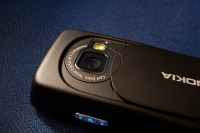
Which brings me to an important issue. Some days ago, my cellphone (an N73 Music Edition) started to (literally) 'die out' under normal usage. For instance, whenever I slid open the camera lens cover to take an occasional snap or two, the phone would automatically switch off as if all the juice had been sucked out of its battery. This would also happen during phone calls, texting etc.

A quick google search revealed that this problem was equally common with other Nokia phones, such as the N93i. The proposed solution? Take the phone to your nearest Care Center (Bah!)

Since I'd been testing new apps regularly, I naturally thought there was a software glitch with one of the apps. Piece by piece, every app installed to phone memory was removed and the phone formatted not once, but multiple times. However, the problem was never fixed. I even suspected this to be one of the shortcomings of the N73's latest firmware update. Luckily, common sense prevailed and I discovered an outrageously simple way of fixing the issue.

The solution: After powering off your phone, remove the battery along with the sim card and set them aside for about half an hour. During this time, clean the battery terminals (i.e the 3 'golden rectangles' that you see on top of the battery) using rubbing alcohol -- or even some leftover cologne will do. Also, be sure to clean the battery terminals present on the phone body as well as the camera activation terminals present on the phone's back cover (i.e. the 2 golden bits that you see on the inside of the back cover). Once our makeshift cleaning liquid's evaporated, simply plug everything back and you're good to go!

I still haven't figured out the reason behind this strange behaviour (rusty terminals?), but hey, I'm not complaining! :)

Continue reading this story »

October 12, 2007

N93i & N73: Firmware Updates Available!

If you have an N93 or N73, you should definitely update your phone's firmware via the Nokia Software Updater. As I recently discovered, the newer firmware for the N73, for instance, addresses a plethora of issues that plagued its predecessor.

The download is about 78.4MB for the Nokia N73, entitled V 4.0735.3.0.2 / 4.0736.3.2.1. I really think this is a much-needed update for the phone. While I don't have a changelog that lists all the improvements in this release, some of the most-noticeable changes are listed below.

Changes/Improvements:

  • Inclusion of Nokia Maps 1.0 (edition 1.2) for use with Bluetooth GPS devices
  • Improvements to the Messaging App
  • Improvements to Application Installers
  • Updates to the Music Library & Music downloads
  • Sleep mode stability
  • Autostart issues fixed (finally)
  • Improvements to Menu navigation
  • Greater amount of free RAM available at startup
Miscellaneous Notes:

  • You may (or may not) notice the last few points that I've written about above on the N73. However, on the older version of the firmware i.e. V 4.0727.2.2.1, with sleep mode enabled and the keypad locked, it was sometimes impossible to use the phone as the keypad refused to unlock itself! Thankfully, that seems to be fixed with this release.

  • Autostart issues are another thing. As compared to the older version, the newer firmware finally lets you autostart apps, such as Keylocking utilities (the N73 doesn't have it built-in) or Profile Switchers etc. I'm really glad Nokia's addressed this issue.

  • The phone seems to be much snappier than before and Menu navigation and UI response times are much better. A welcome addition!

  • As mentioned above, there is definitely an improvement in the availability of free RAM while starting (and subsequently using) the phone. Previously, the amount of free RAM used to hover around 18-18.5MB, with all autostart apps loaded into memory. Now this figure's gone upto 19.5MB, which really is a substantial increase!

  • I haven't yet checked for improvements in the Camera department. But I doubt if there will be any, especially since the N73 already has an excellent camera that's easily comparable to standard point-and-shoots. The only improvement that is, perhaps, necessary has to do with reducing the amount of jpeg compression.

  • Before you update, please ensure that you've made a Backup via Nokia's PC Suite to save all messages, contacts, calendar events etc. You can later restore them after updating.

  • If you have a Bluetooth GPS device and are worried about data transfer costs, download the Nokia Map Loader for your PC which lets you download maps from the internet for your phone. It's available free of charge, here.

Image Hosted by ImageShack.us

Continue reading this story »

September 28, 2007

Speed Up Your Phone Camera

One of the more common problems associated with newer multi-megapixel phones from Nokia is the frustrating time delay that's always encountered while turning the camera on. A slight comparison with modern digital cameras immediately puts the coveted Nseries to shame. For instance, it takes the Nokia N73 a good 3-4 seconds to get to the Viewfinder to snap a picture...enough to get your subject distracted with something else. Performance takes an even bigger hit if you're starting from Sleep mode and delays of upto 10 seconds are fairly common.

Relatively newer Nokia phones, especially ones with a mechanical shutter and an autofocus lens (N73, N95 etc), are the most affected in this regard. You must've observed how the screen orientation lazily changes from Portrait to Landscape as soon as you slide open the lens cover to get the camera ready.

However, here's an amazing tip that'll really help speed things up while using your phone camera, making it much snappier than ever before.

The trick is to get the phone in Landscape mode before you're about to use your camera.

Apart from being less taxing for the processor, there also won't be any significant delay between switching screen orientations and the camera will be ready for action in no time! The results speak for themselves. Notice how fast the phone response is when you start the camera from standby/sleep in Landscape mode.

Image Hosted by ImageShack.us

Changing screen orientations isn't much of an issue too, especially with freeware apps like the excellent RotateMe v1.21, available here for the N73 and N80. Once you start RotateMe, simply tap 'Rotate' from Options to switch to Landscape mode (and vice versa).

Another advantage is the fact that Landscape mode isn't a hassle and is quite useable, although initially you'll feel otherwise due to the awkward position you'll be holding your phone in. Furthermore, it's compatible with a plethora of apps and you could, for instance, use it with the excellent free Sega Genesis Emulator, Picodrive, to play a quick game or two of Street Fighter II Turbo or get a much better view of the www while browsing the internet...the possibilities are endless :)

So, next time you're at a party, be sure to have your phone in Landscape mode before you start snapping away!

Screenshots:

Image Hosted by ImageShack.us


UPDATE: If you wish to download RotateMe v1.21, you may do so here. Please note that you must get this app signed prior to using it.

Continue reading this story »

September 21, 2007

Wikipedia: Version 1.0 Released!

Waiting period's *officially* over everyone! Yes, you guessed it...the Symbian Wikipedia project has yet again scaled to a new height. As promised, this latest release of the Wikipedia, available as a free download for your S60 phone, now incorporates over 8,500 full-color images! And since it's based on the previous release, that works out to about 3.5 unique images per article!

For those with space constraints on their phones, there's also a text-only version of the Wikipedia that you should definitely try out.

Requirements:

  • WinRAR (to uncompress the files). The trial version is available here.
  • iSilo (installed on smartphone). The trial version is available here for all S60 devices.
Key features:
  • Approximately 2050 full-length articles, more than 8,500 full-colour images and over 3.5 million words (equivalent to a 4,000+ page book in text alone)
  • Storage Card & Phone Memory Compatibility
  • Keyword Search
  • Adjustable font sizes and styles
  • Cross Reference Links - tap on a link to easily go to the related article
  • An easy-to-use alphabetical index for all articles
  • Compatibility with ALL UIQ devices
  • Compatibility with ALL S60 devices, from the Nokia 7650 to the N95 :)
Special Notes:

You can either download this as a single file or for convenience, download multiple "dial-up-friendly" parts.

If you're downloading the dial-up version, please note that you need all 15 parts to extract the file. Once you've downloaded all the parts, simply double-click the first part and specify "series-sixty.blogspot.com" (without the quotes) as the password.

Then just click "Extract to" to extract it on your hard drive. You can later send it to your phone via the Nokia PC Suite or beam it via Bluetooth.

Screenshots:

Image Hosted by ImageShack.us


Download Links:

- As a single file

Parts 01-15

- As multiple files

Part 01
Part 02
Part 03
Part 04
Part 05
Part 06
Part 07
Part 08
Part 09
Part 10
Part 11
Part 12
Part 13
Part 14
Part 15

Password: series-sixty.blogspot.com

As an afterthought, I think it's the images that can make all the difference, for not only do you get something that's visually more appealing and easier on the eyes, but it also takes us a step closer to finding that perfect replacement for an actual encyclopedia. Anyway, comments/suggestions are much appreciated! :)

Continue reading this story »

September 15, 2007

A Picture's Worth A Thousand Words

So its already been a week without a new post and things seem quite slow here on the S60 Weblog. My humble apologies for not posting any earlier. Anyway, I'm sure many of you must've heard the proverb that is listed in the title before. What am I trying to get at, you ask? The thing is, after releasing the first version of the Wikipedia some weeks ago, I promised to include images in a future version.

Well, the good news is that a newer, updated version of the Wikipedia is almost ready and will be available shortly.

I'm really looking forward to it as this will undoubtedly be BIG...in the sense that in an attempt to make the encyclopedia more visually appealing (and interesting) for everyone young as well as old, I've decided to include several thousand images.

Yup, if you fancy numbers, there will be over 8,500 full-colour images! Stay tuned guys! As always, comments are welcome :)

Continue reading this story »